
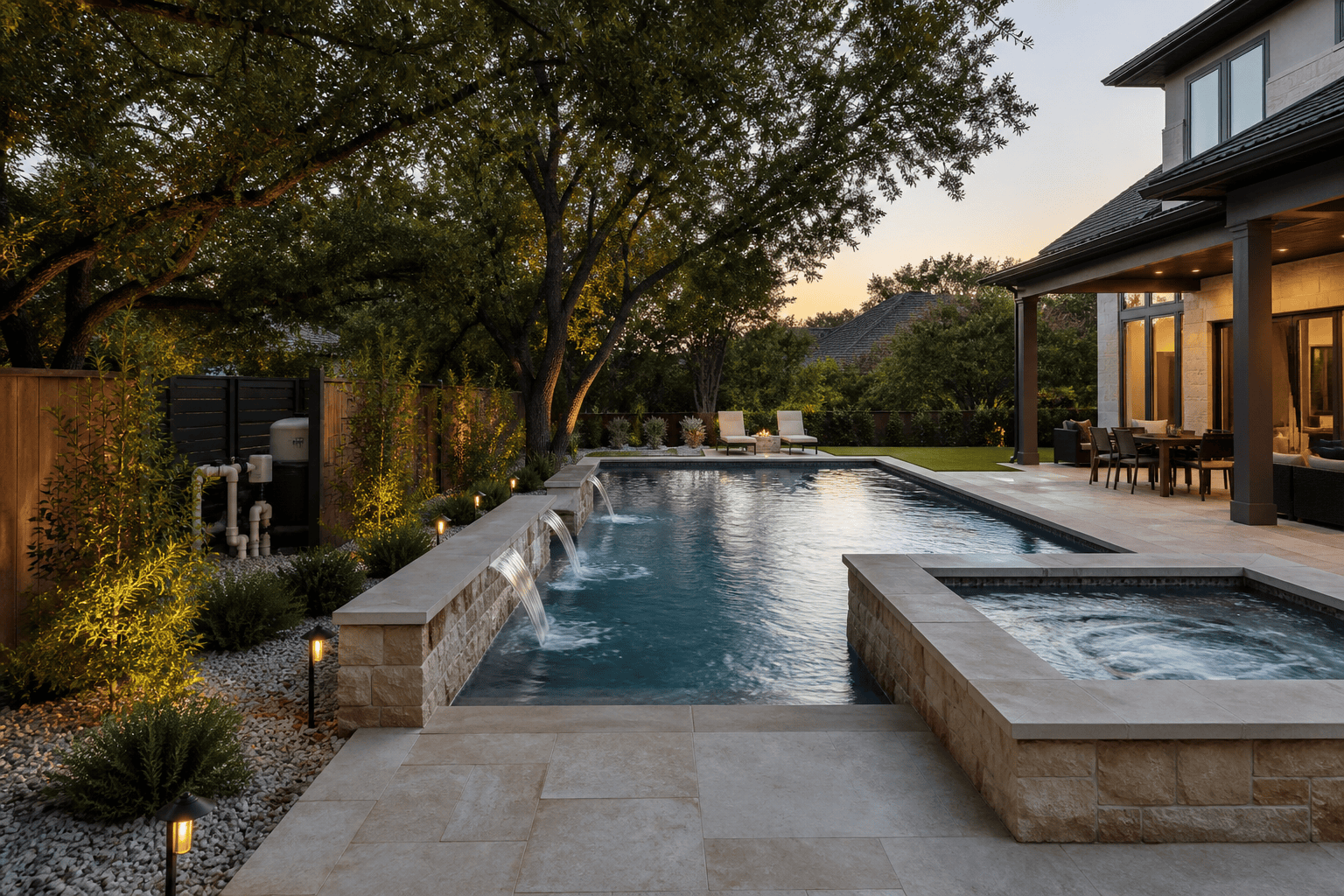
Pool automation is not an add-on that gets considered after a pool is built. It is part of the equipment plan: how the circulation system runs, how the spa heats, when the lights come on, and what can be checked without walking to the equipment pad. I decide those details during design, while the plumbing, electrical runs, and outdoor living layout can still support them cleanly.
Homeowners usually start with a simple request: control the pool from a phone. That is useful, but it is only one part of the decision. A good automation plan makes ordinary ownership easier without adding controls that do not match how the family will actually use the yard. If a project is still taking shape, my custom pool planning process is the right place to begin.
What pool automation actually does
An automated controller brings the pool’s components into one operating system. Instead of setting timers at each piece of equipment, a homeowner uses a wall panel, a remote, or an app to run scheduled and on-demand functions. The controller talks to relays and valve actuators at the equipment pad and tells the pump, heater, lights, and water features when to operate.
The most valuable function is dependable scheduling. The circulation pump runs at the speed and hours appropriate for the pool. The spa comes up to temperature before anyone steps outside. Lights follow a regular evening schedule. For a pool with features, one scene can coordinate pump speed, valves, lighting, and feature equipment instead of requiring several separate steps.
Automation does not remove the need to understand the equipment. The homeowner still monitors water condition, keeps baskets clear, and responds to a freeze warning. What it provides is a clearer, more repeatable way to operate the system.
What I install and why
I install Pentair on nearly every pool I build. The controller is the IntelliCenter and the circulation pump is the IntelliFlo3 variable-speed pump. I have run other brands over twenty-plus years and I keep coming back to Pentair for two reasons.
The first is the warranty. Pentair stands behind its equipment better than anyone else I have worked with, and when a homeowner has a problem three years after handoff, that is what matters.
The second is that the IntelliCenter and IntelliFlo3 are simply good to live with. The controls are logical, the app is dependable, and the pump gives me the speed range I need to run a pool efficiently at circulation, cleaning, heating, and feature settings without wasting electricity. When everything on the pad is from the same manufacturer, the pieces communicate properly and there is one company to call if something goes wrong.
Start with how the yard will be used
I begin with ordinary routines, not a list of gadgets. Does the household use the spa on weeknights? Are evenings outside common? Will a water feature run only when people are in the yard, or is its sound part of the daily setting? Those answers determine which circuits and valves deserve control.
A pool designed mainly for daytime swimming may need only scheduled circulation, heating control, and simple lighting. A pool that connects to a covered patio, outdoor kitchen, and spa often benefits from scenes that bring several systems on together.
A homeowner who wants the spa hot and ready at a predictable time is making a request with consequences beyond the app. The plumbing must isolate spa flow correctly, the heater must be sized for the desired heat-up time, and the pad needs a logical valve arrangement. Planning it at the start is quieter and less expensive than adding capability after decking and landscaping are complete.
Functions worth including on almost every build
Pump scheduling comes first. The IntelliFlo3 can be programmed for normal circulation, cleaning support, heating, and feature operation, and the IntelliCenter keeps those settings organized and makes seasonal adjustments easy.
Heater and spa control come next. The homeowner turns on the spa, sets a target temperature, and the system handles the valves and pump speed. The pool and spa are treated as separate operating modes, which avoids heating water when the valves are not in the right position.
Lighting deserves early attention. White lighting is often enough for a clean evening setting, while color-capable fixtures add options for gatherings. Placement and glare matter as much as the controller, which is why I cover the visual side in my DFW pool lighting design guide. Automation can group pool, spa, landscape, and feature lights into scenes, but each group should have a reason to exist.
Water features may need their own pump, valve, or speed setting. Scuppers, deck jets, and sheer descents can be part of a scene or run separately, so a homeowner enjoys a feature when desired without running it continuously. My guide to custom pool water features covers the design questions that should be settled before those circuits are assigned.
Equipment pad planning
The equipment pad is where a convenient system becomes a serviceable one. I plan enough physical room for the pump, filter, heater, automation panel, valves, electrical equipment, and access around each item. A crowded pad makes ordinary maintenance difficult and limits future additions. Sound, drainage, access from the side yard, and the view from the patio are all part of the decision.
In DFW the pad also needs a practical answer for winter. The IntelliCenter can send an alert or enter freeze protection when temperatures fall, but it cannot correct a poor plumbing layout or a loss of power. Exposed runs should be considered carefully, and the homeowner should know how the system behaves during a weather event. The larger equipment choices are covered in my pool filtration and equipment guide.
The deck and grade must send water away from the equipment, and electrical routes should be planned before concrete is placed. These are small decisions on paper that are much harder to solve once the project is complete.
Architectural steel and control planning
Automation planning sometimes intersects with the structure around a pool. When a backyard includes a cantilevered roof structure, I coordinate the electrical route, lighting locations, fan wiring, and control access before the deck and ceiling finishes are in place. My architectural steel is designed, engineered, and fabricated in-house rather than handed to a subcontractor, so those decisions get made in one conversation instead of three.
That direct coordination matters on DFW lots where a side-yard setback, a tight equipment route, or the orientation of a modern home limits where a roof can land. A cantilevered roof shades a patio without adding posts at the water’s edge, leaving a clearer path between the home, the controls, and the pool, and giving lighting and fan wiring a planned place to go. My in-house architectural steel approach shows how structural design is resolved alongside the pool rather than treated as a later addition.
What automation adds to the cost
The cost depends on the number of functions being controlled, the number of valves and actuators, and the electrical work needed at the pad. A controller for a pump, heater, spa, and lights is a different scope from a system coordinating several pumps, feature zones, multiple lighting groups, and outdoor living circuits.
I include the appropriate controller in the original project scope rather than presenting it as an afterthought. That gives the homeowner an honest view of the installed cost and lets me run the right conduits and low-voltage lines before hardscape is finished. Not every feature needs to be installed immediately. In some cases I plan the pad, conduits, and panel capacity for a later addition while keeping the opening scope focused. The point is to make that choice intentionally.
Choosing the right level of control
There are three useful levels. A basic system handles circulation schedules, heating, and pool or spa mode. A mid-level system adds lighting groups, water feature control, and app access. A comprehensive system coordinates a larger outdoor environment with several pumps, circuits, and scenes.
The right level is the one the homeowner will actually use. A simple, reliable schedule is worth more than a complicated interface, and I avoid building a dashboard just because the system allows it. Clear names, sensible groupings, and a short handoff walkthrough are more valuable than a long menu of seldom-used functions.
App access and daily operation
App access is useful when it supports a real habit: starting spa heat before arriving home, checking the schedule before a weekend away, or seeing an alert when the controller reports a communication issue or an out-of-range condition. I treat alerts as an extra set of eyes, not a substitute for routine attention.
A dependable setup starts with a strong wireless signal at the pad or a properly planned hardwired connection. I check signal strength during construction, especially when the pad sits behind the home, near a detached structure, or beyond a masonry wall. I set schedules around the actual equipment and season rather than leaving a generic program in place, and I walk the homeowner through the controller, the app, the equipment modes, and freeze protection before handoff. The goal is not to turn the owner into a technician. It is to make normal operation understandable from the first week.
Plan controls before construction starts
Pool automation works best when it is built into the project from the beginning. It affects electrical routes, plumbing, pad space, lighting groups, shade structures, and the daily experience of using the backyard.
If you are considering a custom pool in DFW, I can walk the property, discuss how you intend to use the yard, and outline an equipment and control plan that fits the build. Call me at 817.721.2452 to start the conversation.